
Coming soon · iOS and Android
Find places nearby.
Skip the queue.
Ulaanbaatar’s restaurants, cafés, bars and lounges, all in one app. Order from your table, for pickup or ahead of time, and pay with QPay. When your order’s ready — ding!
How it works
Three steps. No queue.
See what’s nearby
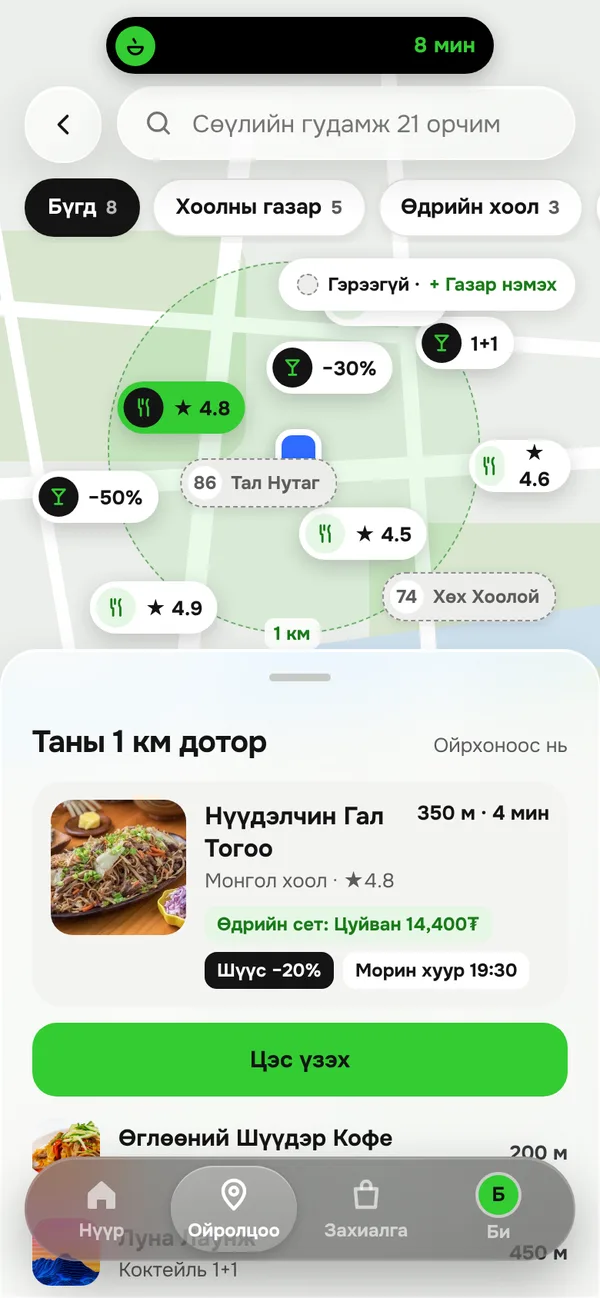
Browse places open right now within 1 km, plus their current deals, on the map.
Pick from the menu
Scan the QR code on your table to order on the spot, or choose a time for pickup or ordering ahead.
Pay with QPay. Ding!
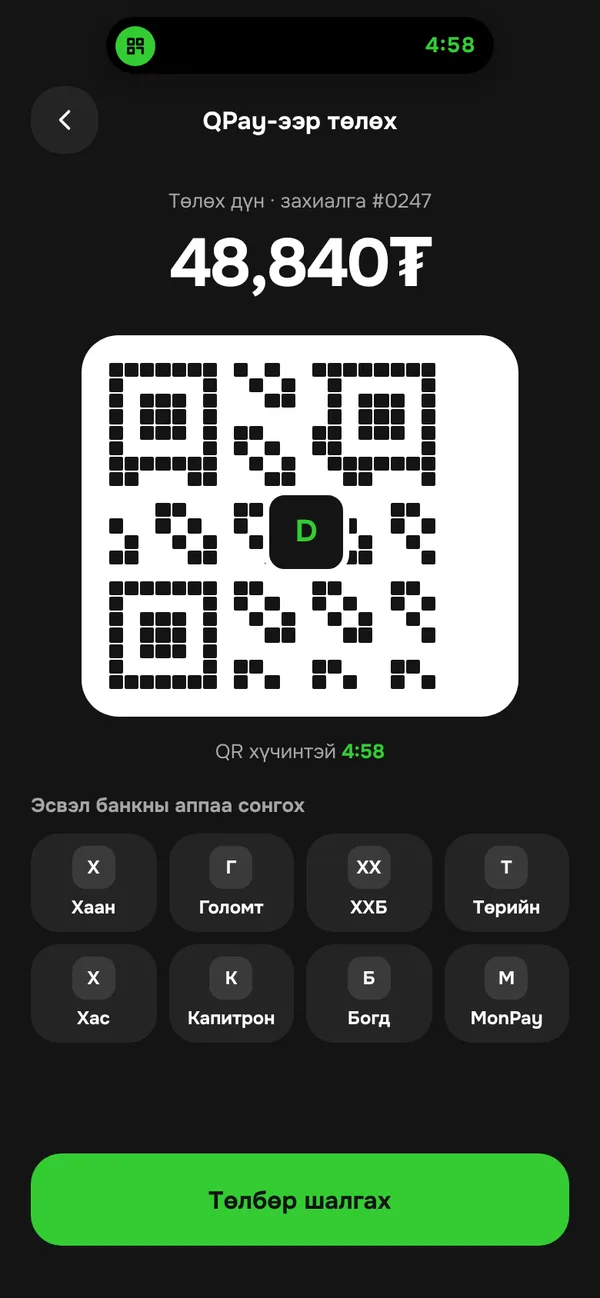
Pay in your bank app and follow your order in real time. You’ll get a “ding!” the moment it’s ready.
For diners
A home screen that changes with your day
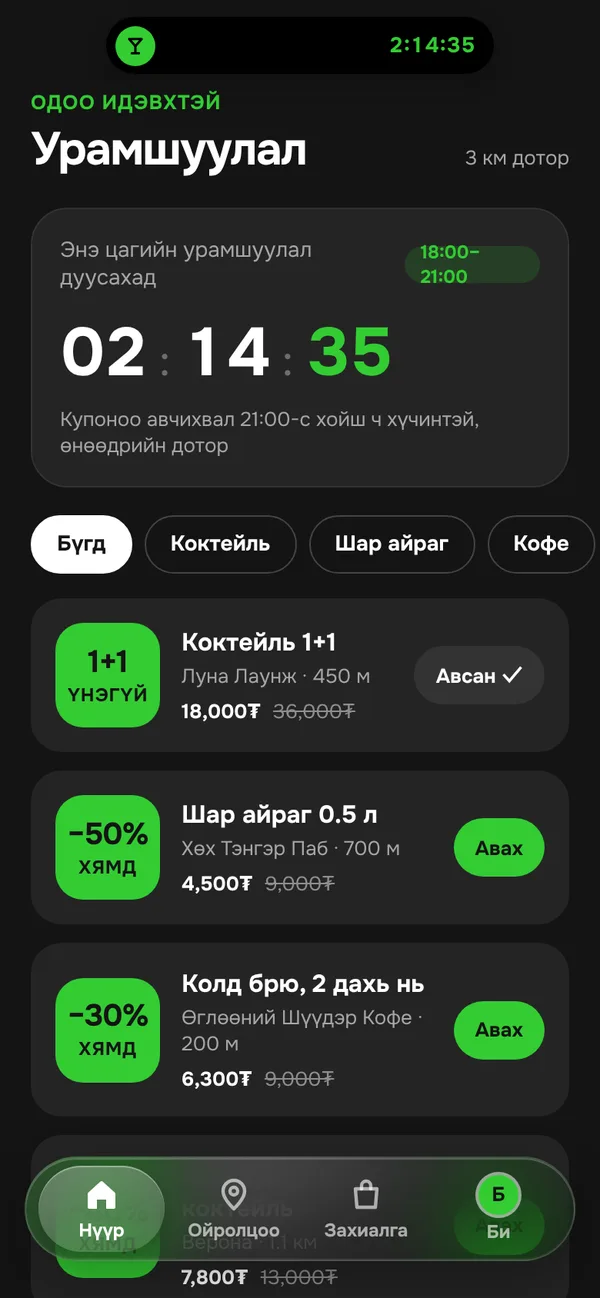
Coffee in the morning, lunch at noon, deals and events at night. Ding puts what you need right now at the top.
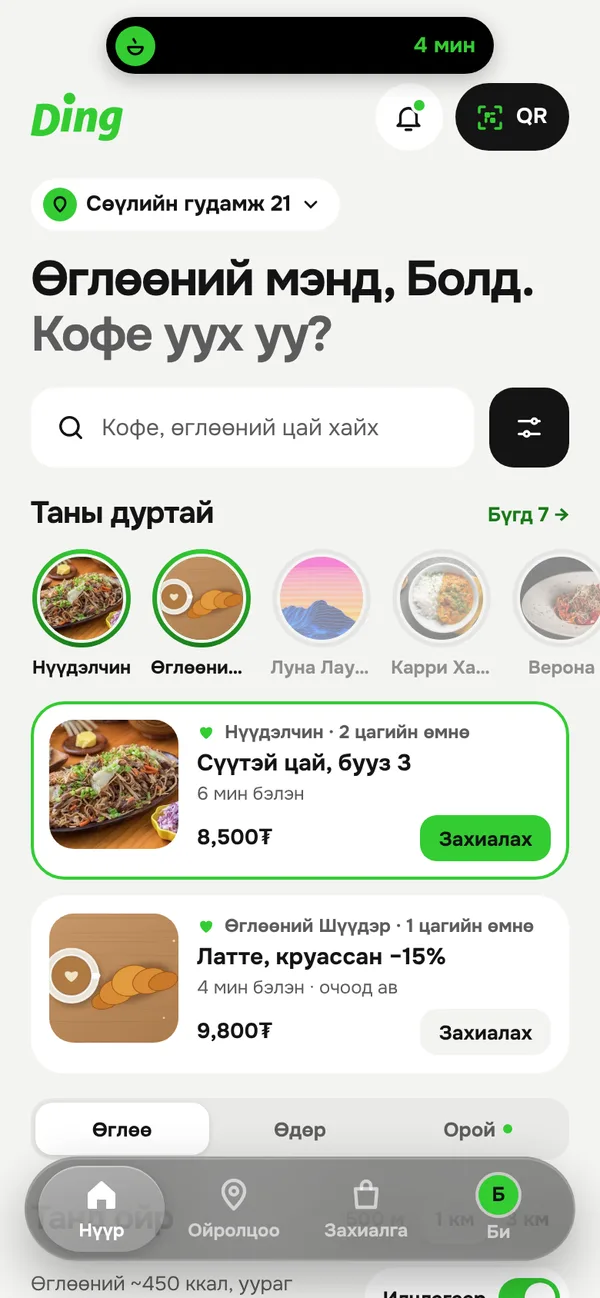
Coffee and breakfast
Order ahead at a café nearby and pick it up as you walk in.
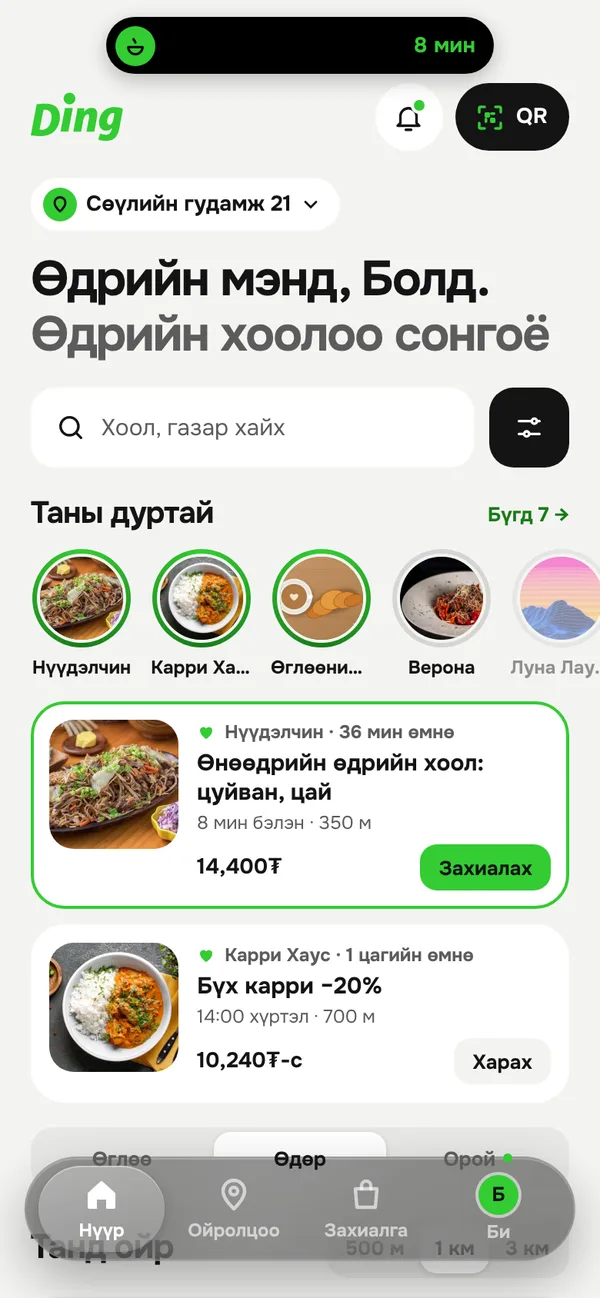
Lunch
Make the most of your lunch break, without the line.
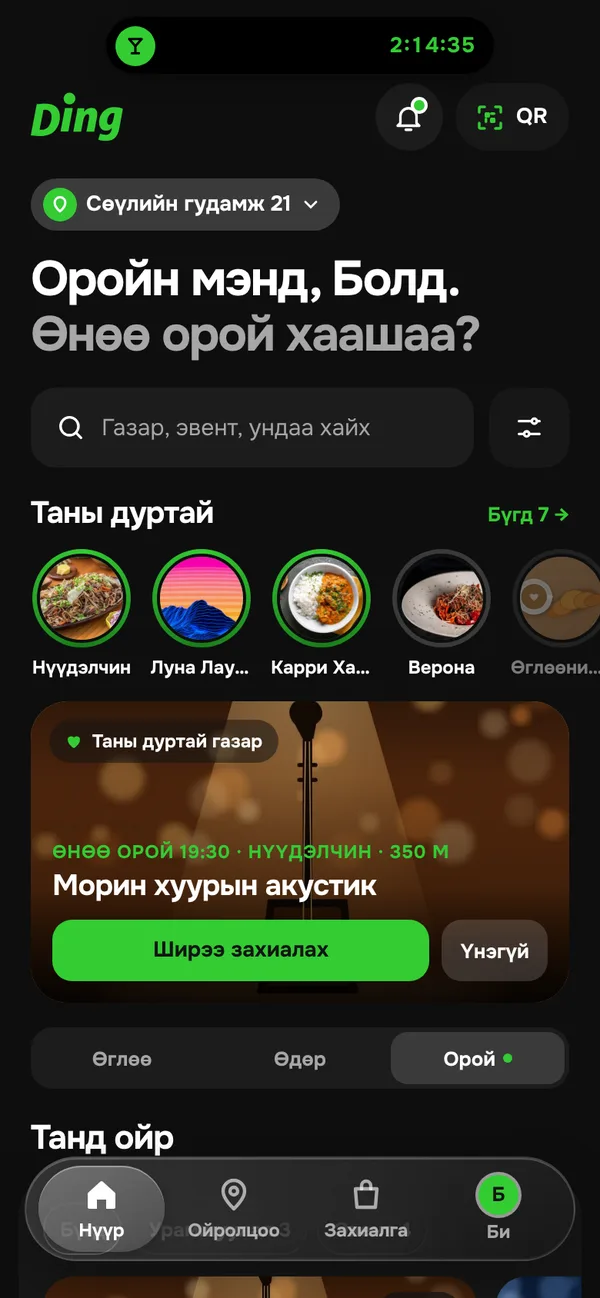
Deals and events
See what’s on tonight and where the deals are, all in one place.
Places and menus
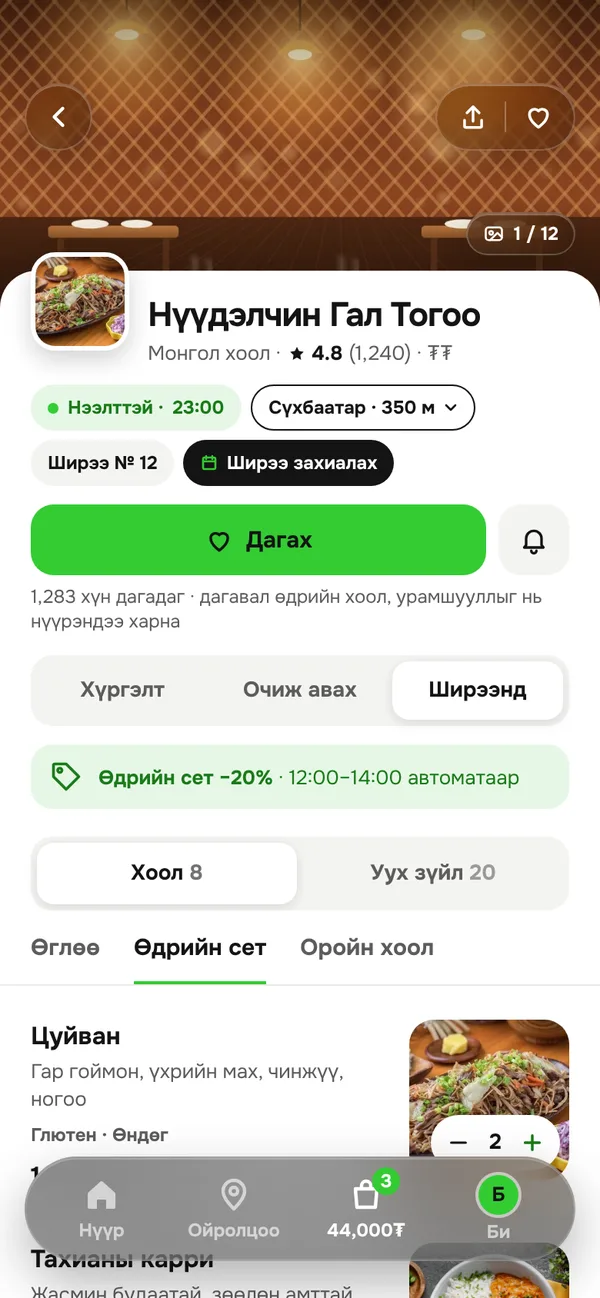
Know the menu, prices and wait before you go
Check each branch’s menu, prices, opening hours and how long your order will take, all before you order.
- Order at the table, for pickup or ahead
- Ding picks the nearest open branch for you
- Follow your favourite places and hear about new offers first
Deals and payment
Deals apply themselves. Pay with QPay.
Time-based discounts come off your cart automatically. Then pay with QPay from your bank app in a single tap.
- See which deals are live and when they end
- Your payment goes straight to the venue
- Always know where your order is
Why “Ding”?
Order, signal, peak — all in one word
To order, to book
The sound of an order that’s ready
Top, peak — and slang for “I back this”
For venues
New guests, effortless management
Restaurants, cafés, bars, pubs and lounges: Ding puts your venue in front of people nearby and sends their orders straight to your kitchen.
Guests nearby
Your venue shows up on the map and home screen of people close by.
Fill your quiet hours
Set time-based deals yourself. Ding applies the discount in the guest’s cart automatically.
Money straight to you
QPay payments land directly in your account. Ding never touches or holds your money.
Kitchen display
New orders pop up on a tablet with a sound alert, and your kitchen tracks prep from there.
Many branches, one account
Manage menus, prices, hours and manager access for every branch from one account.
Table QR codes and reports
A QR code for every table, plus sales and tax reports whenever you need them.
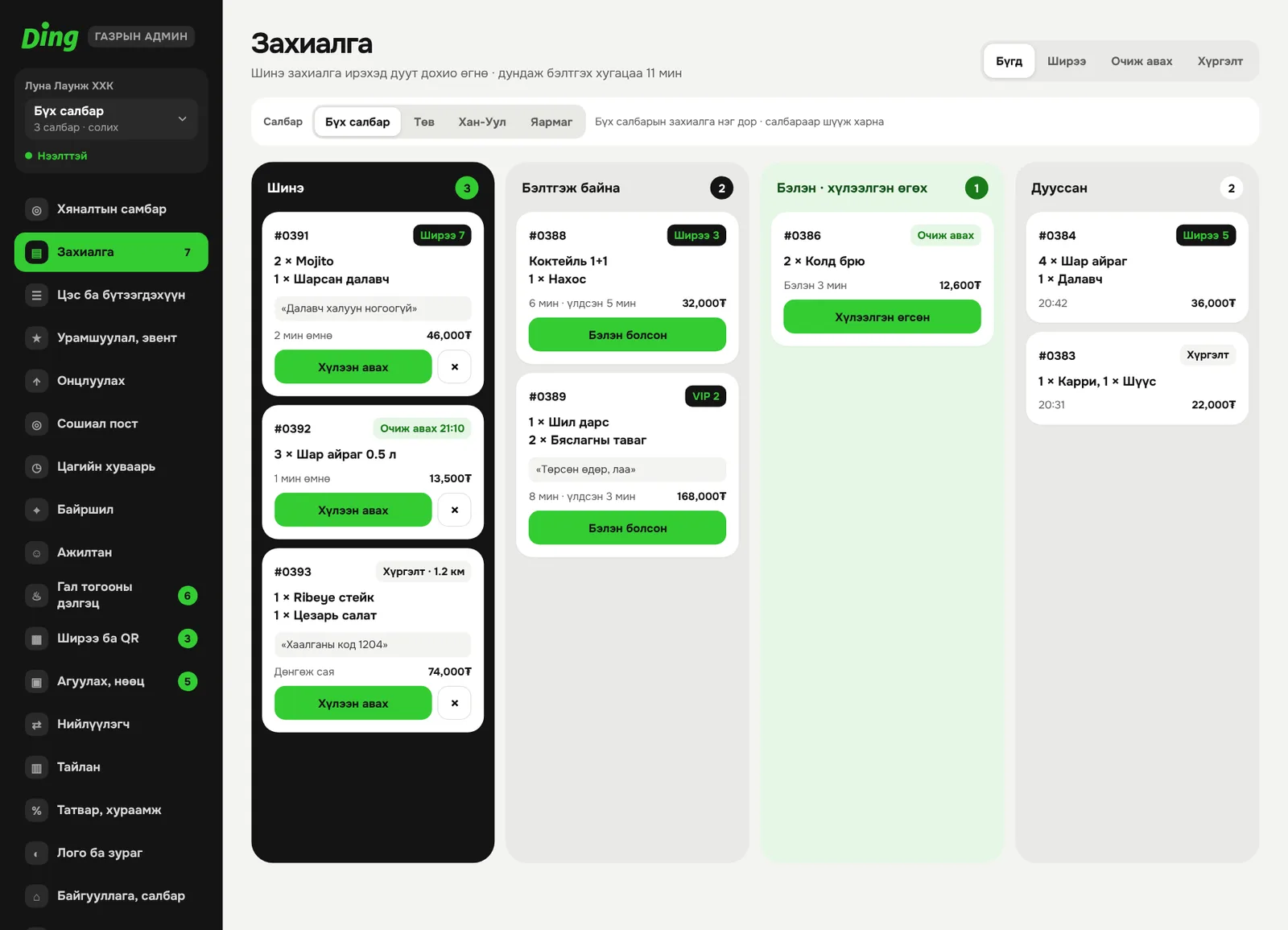
The venue admin runs on tablets and computers.
List your venue
Be one of Ding’s first partners
Email us and we’ll get in touch to walk you through the terms and how to get started.
FAQ
Got questions?
When does Ding launch?
Soon, on iOS and Android.
Do you deliver?
The first version covers ordering at the table, for pickup and ahead of time. Delivery is planned for a later stage.
How do I pay?
With QPay, from your own bank app. Your payment goes straight to the venue.
What equipment does my venue need?
Just a tablet or computer with internet. The venue admin and kitchen display both run in a web browser, and we prepare the table QR codes for you.
Do we need to replace our POS?
No. Ding is an extra channel for taking orders. We’re working on integrations with popular POS systems.